Monitoring Software Cost Per Employee: 2026 Guide| EmpTrakr
Compare monitoring software cost per employee in 2026, including free and paid plans, typical pricing, features, hidden costs, and budgeting tips.
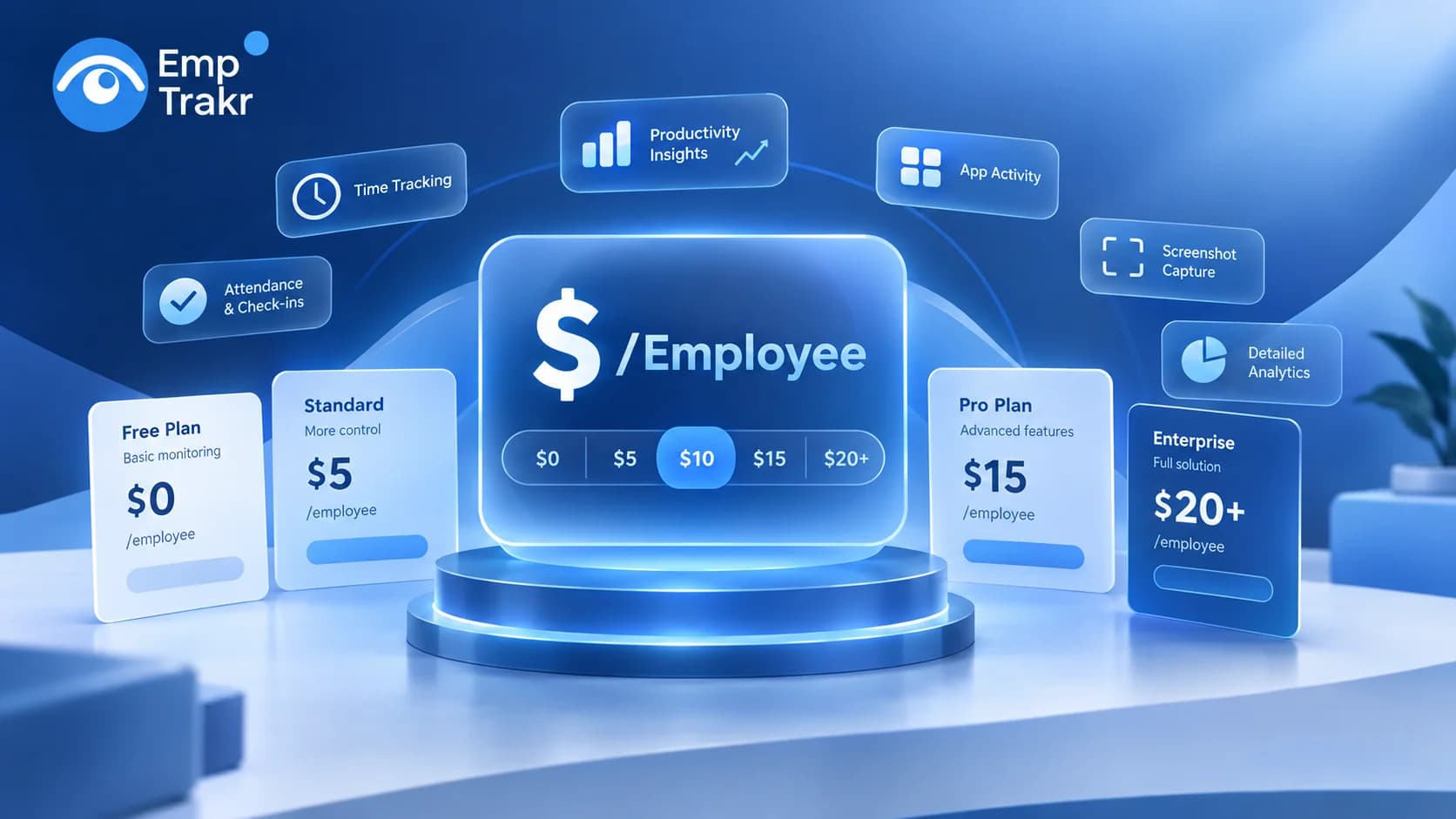
The Monitoring software cost per employee Can vary significantly depending on the provider, features, team size, and pricing model. Some employee monitoring platforms offer free plans, while others charge anywhere from a few dollars to more than $20 per employee each month.
For a growing business, this difference matters. A small price increase per employee can become hundreds or thousands of dollars in additional annual software costs.
But price shouldn't be the only factor. The better question is: What features are included for the price you pay?
This guide breaks down employee monitoring software costs in 2026, common pricing models, hidden costs, and what businesses should consider before choosing a platform.
Quick Answer: How Much Does Monitoring Software Cost Per Employee?
In 2026, employee monitoring software can range from $0 to $20+ per employee per month, depending on the provider and plan.
| Pricing Level | Approx. Cost Per Employee/Month | Typical Features |
|---|---|---|
| Free | $0 | Basic tracking and limited features |
| Entry-level | $5–$8 | Time and activity tracking |
| Mid-range | $8–$15 | Apps, websites, productivity reports |
| Advanced | $15–$20+ | Advanced monitoring and analytics |
| Enterprise | $20+ | Custom security, analytics and support |
Some providers charge strictly per employee, while others use minimum-seat requirements or different pricing for annual and monthly subscriptions.
So, before comparing prices, it's important to understand exactly what each plan includes.
What Does "Cost Per Employee" Mean?
Most employee monitoring platforms use a Per-user or per-seat pricing model.
For example, if software costs $10 per employee per month and your company monitors 25 employees:
25 × $10 = $250 per month
That equals:
$3,000 per year
If the company grows to 50 employees, the same plan would cost $500 per month.
This is why monitoring software pricing becomes an important consideration for growing teams.
However, the advertised price isn't necessarily the complete cost. Minimum seats, premium features, additional storage, integrations, and billing terms can all affect your final expense.
Employee Monitoring Software Cost Comparison
Different platforms take different approaches to pricing.
For example, Hubstaff's pricing starts at a relatively low per-user rate on annual billing, while ActivTrak offers a free plan with limitations and paid plans based on workers. Monitask also uses per-user pricing, while some advanced platforms have minimum seat requirements.
| Software Type | Typical Cost | Best For |
|---|---|---|
| Free monitoring tools | $0 | Small teams testing monitoring |
| Basic time trackers | $5–$8 | Working hours and timesheets |
| Workforce monitoring platforms | $8–$15 | Productivity and activity visibility |
| Advanced monitoring | $15–$20+ | Detailed analytics and controls |
| Enterprise platforms | $20+ | Larger organizations |
Pricing changes frequently, so businesses should always check the provider's current pricing page before making a purchase.
What Features Affect Monitoring Software Cost?
The biggest factor isn't always the number of employees. Features also influence pricing.
A basic platform may only provide time tracking, while a more advanced platform can include detailed activity monitoring, screenshots, analytics, attendance and reporting.
Here are some common features to compare.
Time Tracking
Time tracking allows businesses to understand when employees start and stop working, how long they work, and how breaks or idle periods affect recorded time.
If your main requirement is tracking working hours rather than detailed activity, a dedicated Time tracking software Solution may be sufficient.
Attendance Tracking
Attendance software focuses on employee presence, check-ins, schedules, late arrivals and attendance history.
For businesses managing remote or hybrid employees, Attendance tracking Can provide a clearer view of working patterns.
Productivity Tracking
More advanced monitoring tools can measure activity levels and productivity patterns.
Productivity tracking Can help managers understand how work time is being used without relying entirely on manual reports.
App and Website Tracking
Some platforms provide visibility into applications and websites used during working hours.
With Live app tracking, teams can see application activity and understand which tools are being used during work sessions.
Screenshot Monitoring
Screenshot functionality is another common feature in employee monitoring platforms.
However, screenshots may be restricted to higher-priced plans or limited by monthly quotas depending on the provider.
Businesses that require this functionality should check exactly how many screenshots are included before selecting a plan. You can also review Screenshot monitoring As part of your comparison.
Free vs. Paid Monitoring Software
A free plan can be a practical option for small businesses, startups and teams that are trying employee monitoring for the first time.
But there is an important difference between a Free plan And a Free trial.
A free plan generally continues after the trial period, although it may have limitations.
A free trial provides temporary access to paid features before requiring a subscription.
For example, a platform might offer:
- Free access for a limited number of employees
- 14-day or 30-day trials
- Limited historical data
- Restricted reports
- Limited screenshots
- Premium features only on paid plans
Therefore, when researching "free employee monitoring software," always check whether the provider offers a Permanent free plan or simply a trial.
Hidden Costs to Check Before Buying
The advertised price is only one part of the calculation.
1. Minimum Seat Requirements
Some platforms require businesses to purchase a minimum number of seats.
For example, if software costs $10 per employee but requires five seats, your minimum monthly cost is $50 even if you only actively need three monitored users.
2. Annual vs. Monthly Pricing
Many SaaS companies advertise their lowest price based on annual billing.
A plan advertised at $6 per employee per month may cost more when paid monthly.
Always compare both options.
3. Premium Features
Important functionality may only be available in higher tiers.
You may need to upgrade for:
- Advanced reports
- Screenshots
- More data history
- Integrations
- Advanced analytics
- Additional controls
4. Growing Team Costs
A plan that looks affordable for 10 employees can become expensive for 100.
For example:
$10 × 10 = $100/month
But:
$10 × 100 = $1,000/month
That's $12,000 per year.
So scalability should always be part of your pricing calculation.
How to Calculate Your Real Cost
Use this simple formula:
Total monthly cost = Employees × Cost per employee + additional fees
For example:
25 employees × $8 = $200/month
Annual cost:
$200 × 12 = $2,400/year
Now imagine an additional reporting feature costs $50 per month.
Your actual cost becomes:
$200 + $50 = $250/month
Annual cost:
$3,000/year
This is why comparing only the advertised per-user price can produce the wrong result.
What Should Small Teams Actually Pay?
Small teams don't necessarily need the most expensive monitoring software.
If your main requirements are:
- Working hours
- Attendance
- Productivity
- App usage
- Basic reports
- Employee activity
Then an entry-level or free solution may be enough.
If you need advanced security, detailed analytics, compliance tools or extensive integrations, a higher-priced platform may provide better value.
The goal should be to pay for the functionality your team actually needs rather than purchasing features that will never be used.
How EmpTrakr Can Reduce Per-Employee Costs
For teams looking for workforce visibility without adding a traditional per-seat subscription cost, EmpTrakr offers a different approach.
EmpTrakr brings together employee monitoring, time tracking, attendance, productivity tracking, app activity and screenshots in one platform.
You can start by exploring the Employee monitoring software And then review the individual features based on your team's requirements.
For example, a company primarily concerned with working hours can focus on Time tracking, while a team that needs broader visibility can combine time, attendance and productivity features.
This makes it easier to evaluate your actual requirements instead of paying for an unnecessarily complex monitoring platform.
A Simple Checklist Before Choosing Monitoring Software
Before subscribing, ask these questions:
- What is the actual cost per employee?
- Is the advertised price monthly or annual?
- Is there a minimum number of users?
- Is there a permanent free plan?
- What features are included?
- Are screenshots limited?
- How much historical data is available?
- Are reports included?
- Are integrations charged separately?
- How will the cost change as the team grows?
Also review the provider's privacy practices before implementing monitoring. Employees should understand what information is collected, why it is collected, and how it is used. EmpTrakr provides additional information through its Security and privacy Page.
Final Thoughts
The Monitoring software cost per employee Can range from free to $20 or more per month in 2026.
But the lowest price doesn't automatically provide the best value.
Instead, compare Cost, features, limitations, scalability and privacy Together.
For a small team, a free or affordable platform may be enough. For larger organizations, advanced monitoring and analytics may justify a higher per-employee investment.
The most important calculation isn't simply:
"How much does this software cost?"
It's:
"How much am I paying per employee, and what am I getting for that cost?"
That approach makes it much easier to find monitoring software that fits both your team's needs and your long-term budget.
Frequently Asked Questions
How much does monitoring software cost per employee?
Is employee monitoring software free?
Is employee monitoring software charged per employee?
What features increase monitoring software costs?
Is cheaper employee monitoring software better?
Related EmpTrakr resources
Continue with product pages that match this topic — and explore more guides on the blog.
Supercharge your workforce today.
Join leading companies using EmpTrakr to boost productivity, streamline tracking, and optimize remote teams.