Remote teams
Works seamlessly for distributed employees.
Hours, breaks, and overtime, tracked for you.
EmpTrakr records clock-ins, breaks, idle time, and overtime automatically so you always know how the day was spent—without chasing timesheets.
clock tracking
time signals
overtime review
Time tracking software (also called employee time tracking software or work hours tracker) automatically records work hours, attendance, breaks, idle time, project time, and overtime. It eliminates manual timesheets, provides accurate payroll, and gives managers real-time visibility into employee work for office, remote, and hybrid teams.
Unlike manual timesheets, automated tracking ensures accurate data entry without buddy punching or forgotten hours. It supports billable hour tracking, compliance, and better project management.
Works seamlessly for distributed employees.
Combines office and remote tracking.
Full attendance and idle detection.
Accurate payroll, reduced manual work, eliminated buddy punching, better project management, remote workforce visibility, billable hour tracking, and compliance.
Showing cards 1 to 3 of 7
Automatic records replace manual spreadsheets and reduce payroll errors.
No more chasing timesheets—hours are tracked automatically.
System logs real clock-ins and clock-outs.
Showing benefits 1 to 3 of 4
Working sessions are captured from the desktop app—no end-of-day report writing required.
See productive time, breaks, and idle periods at a glance in daily summaries.
Spot extra hours early so managers can balance workload before it becomes a problem.
Admins configure work hours, break limits, idle thresholds and clock-in expectations.
Employees run the desktop app while EmpTrakr records working time and interruptions.
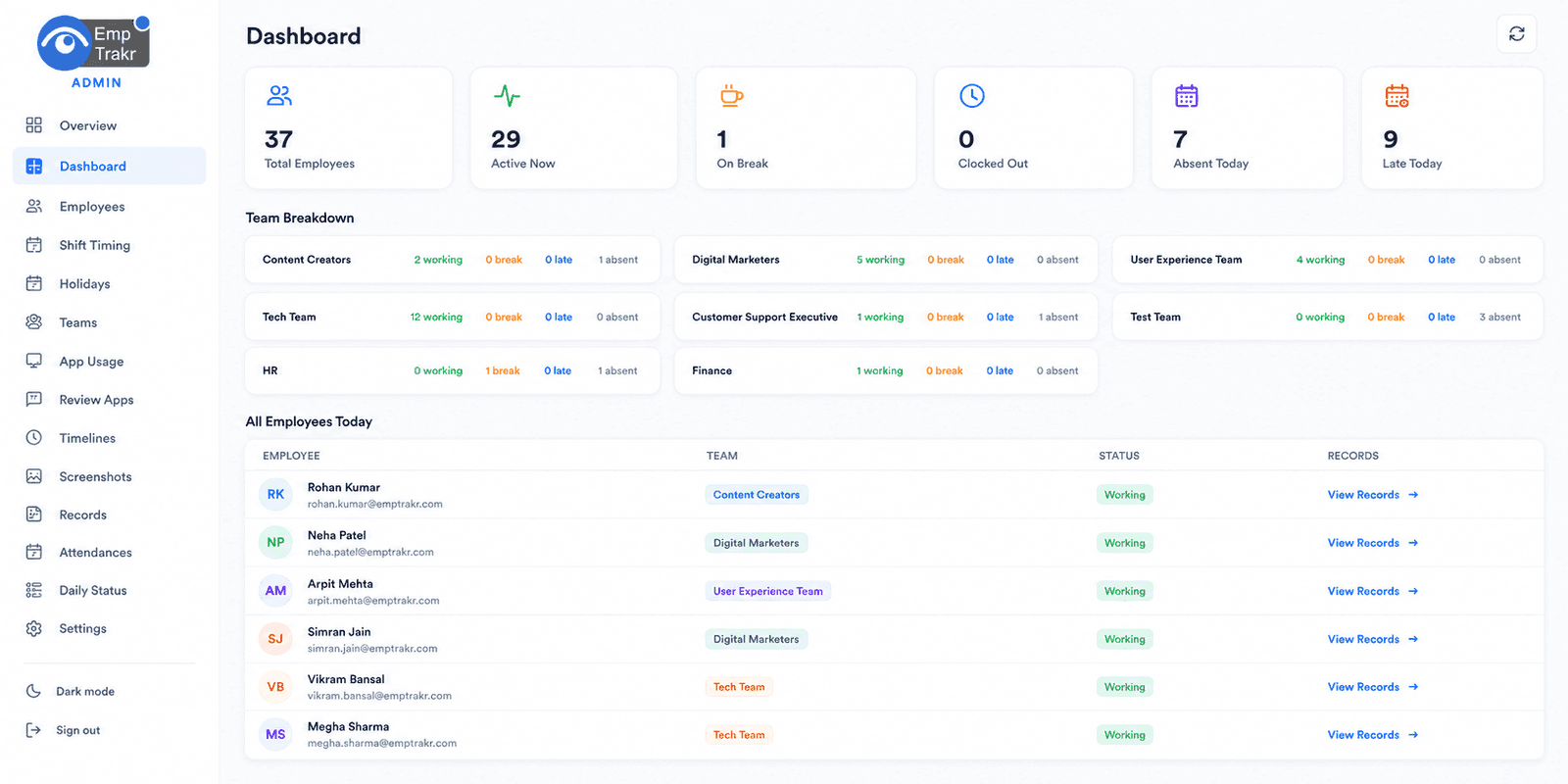
Managers inspect hours, breaks, idle signals and overtime from the admin dashboard.
| Feature | Description | EmpTrakr |
|---|---|---|
| Work Hours | Yes | |
| Attendance | Yes | |
| Overtime | Yes | |
| Break Time | Yes | |
| Idle Time | Yes | |
| Project Time | Yes | |
| Task Time | Yes | |
| Billable Hours | Yes | |
| Timesheets | Yes | |
| Reports | Yes |
Clock in and out automatically with session tracking.
Generate professional timesheets instantly.
Real-time status and history.
Automatically identifies unproductive time.
Log time per client or project.
Detailed task-level time logging.
Flags extra hours for review.
Configurable break rules and logging.
Export ready reports for payroll.
Excel, CSV, and other formats.
Admin, manager, and employee access controls.
Alerts for overtime, late clock-ins, etc.
Clock in and out automatically with session tracking.
Generate professional timesheets instantly.
Real-time status and history.
Automatically identifies unproductive time.
Log time per client or project.
Detailed task-level time logging.
Flags extra hours for review.
Configurable break rules and logging.
Export ready reports for payroll.
Excel, CSV, and other formats.
Admin, manager, and employee access controls.
Alerts for overtime, late clock-ins, etc.
Clock in and out automatically with session tracking.
Generate professional timesheets instantly.
Real-time status and history.
Automatically identifies unproductive time.
Log time per client or project.
Detailed task-level time logging.
Flags extra hours for review.
Configurable break rules and logging.
Export ready reports for payroll.
Excel, CSV, and other formats.
Admin, manager, and employee access controls.
Alerts for overtime, late clock-ins, etc.
Software development, IT support, and tech agencies.
Marketing, consulting, and creative firms billing by project.
Field work and project-based tracking.
Shift-based and on-call employee monitoring.
Billable client hours and internal projects.
Software development, IT support, and tech agencies.
Marketing, consulting, and creative firms billing by project.
Field work and project-based tracking.
Shift-based and on-call employee monitoring.
Billable client hours and internal projects.
Software development, IT support, and tech agencies.
Marketing, consulting, and creative firms billing by project.
Field work and project-based tracking.
Shift-based and on-call employee monitoring.
Billable client hours and internal projects.
Shift schedules and production time tracking.
Classroom and administrative staff hours.
Fully distributed workforces.
High-volume shift and performance tracking.
Flexible, scalable time tracking without upfront costs.
Shift schedules and production time tracking.
Classroom and administrative staff hours.
Fully distributed workforces.
High-volume shift and performance tracking.
Flexible, scalable time tracking without upfront costs.
Shift schedules and production time tracking.
Classroom and administrative staff hours.
Fully distributed workforces.
High-volume shift and performance tracking.
Flexible, scalable time tracking without upfront costs.
This section targets comparison searches.
| Capability | Manual Timesheets | Automated Time Tracking |
|---|---|---|
| Accuracy | Employee self-reported | Fully automated from clock-in/out |
| Ease of use | Time-consuming | Instant reports and exports |
| Overhead | High admin effort | Minimal manual intervention |
| Billable hours | Manual tracking | Automatic project assignment |
Many users confuse these two. Time tracking focuses on hours, while attendance adds location, status, and shift context.
| Aspect | Time Tracking | Attendance Tracking |
|---|---|---|
| Primary focus | Hours worked | Who is working and when |
| Key signals | Clock-in, clock-out, breaks, overtime | Live status, late arrivals, absences |
| Integration | Often combined | Often combined |
| Use case | Payroll and billing | Workforce management and presence |
All records are encrypted in transit and at rest.
Secure data storage with enterprise-grade protections.
Granular access for admins, managers, and employees.
Full history of who accessed what and when.
SSO, 2FA, and secure authentication.
Regular automated backups of all data.
Employees are informed that time and activity are tracked during work hours only.
Tracking is limited to paid work sessions, never personal time.
Configurable options for idle thresholds, break rules, and screenshot capture.
Admins can adjust what is tracked per role or team.
Employees can view their own hours and reports in the dashboard.
Track only work hours
Review reports weekly
Integrate with payroll for seamless processing
Avoid manual corrections where possible
Train employees on the system
Monitor overtime flags
Audit reports regularly
Maintain clear company policy on tracking
Real-time clock-in, breaks, idle, overtime—all automated.
Combine time with attendance for complete workforce visibility.
Accessible from any device, no installation needed for admins.
Professional exports for payroll and project managers.
Automated flagging and review of extra hours.
See how tracked time aligns with project deadlines.
Excel, CSV, PDF—whatever you need for compliance.