Improve productivity
See where focus goes and coach with evidence—not guesswork.
Ethical monitoring, clean visibility.
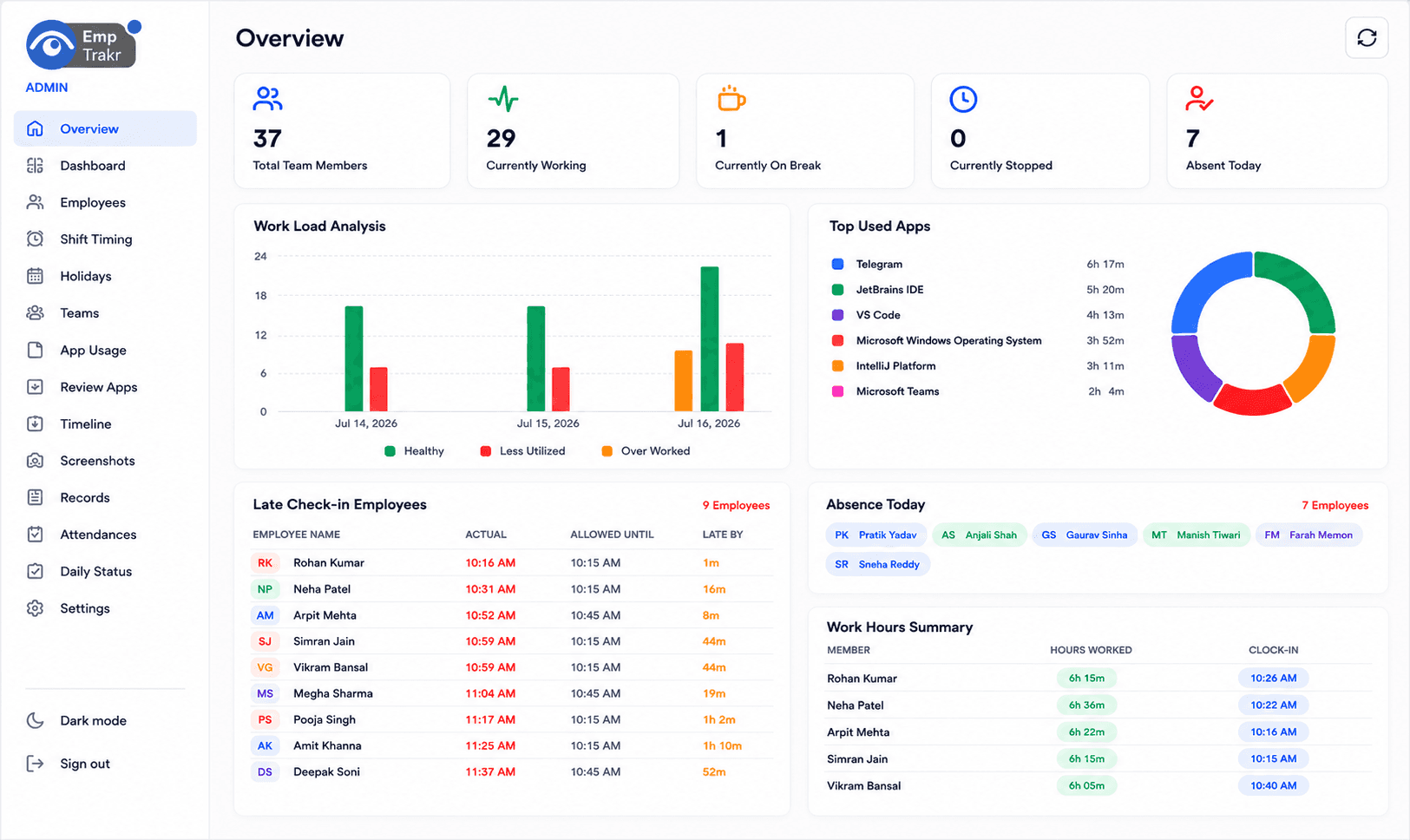
EmpTrakr is free employee monitoring software that helps admins understand work activity across apps, websites, screenshots, idle time, and attendance—without manual reporting or enterprise pricing.
activity status
and websites
free to start
Employee monitoring software (also called employee tracking software or workforce monitoring) helps companies understand work on computers during paid hours. It combines time tracking, attendance, app and website usage, idle detection, optional screenshots, and productivity reports. Ethical tools like EmpTrakr are disclosed, limited to work sessions, and built for remote, hybrid, and office teams—not hidden surveillance.
Showing benefits 1 to 3 of 4
See where focus goes and coach with evidence—not guesswork.
Automatic sessions and idle signals keep paid hours tied to real work.
Clock-ins, breaks, and overtime stay linked to actual work sessions.
Employees install EmpTrakr on Windows or Mac and join your workspace.
After clock-in, the agent records apps, websites, idle time, and optional screenshots.
Activity syncs to the cloud as attendance totals, productivity summaries, and review timelines.
Managers use insights for coaching and planning—not micromanagement.
Core workforce monitoring signals—without keylogging or hidden capture.
| Feature | Description | EmpTrakr |
|---|---|---|
| Time tracking | Clock-ins, breaks, overtime, and session totals | |
| Attendance | Live status, late starts, absences, and shift history | |
| App & website usage | Tools and browser activity during work sessions | |
| Idle time | Inactivity thresholds separated from scheduled breaks | |
| Screenshots | Configurable, privacy-aware visual check-ins | |
| Productivity & reports | Focus scores, admin dashboards, exportable records |
Time tracking answers “how long?” Employee monitoring also answers “what happened during that time?”
| Capability | Time tracking | Employee monitoring |
|---|---|---|
| Clock-in / clock-out | Yes | Yes |
| App & website usage | Limited / no | Yes |
| Idle detection | Sometimes | Yes |
| Screenshots | Rare | Common / optional |
| Best for | Hours only | Hours + activity insight |
Monitoring should be open, limited to work activity, and controlled by company policy. Rules vary by country—inform employees, use a written policy, and prefer company devices where possible. This is not legal advice.
Employees install and run the agent—no hidden spyware model.
Roll out with a written policy so people know what is tracked and why.
Only authorized managers see team reports and screenshots.
Route screenshots to company Google Drive or OneDrive under your ownership.
Employee monitoring and productivity visibility—free for unlimited employees.
Invite your whole team without per-seat surprise bills on the free core plan.
Start real workforce monitoring without payment details or enterprise pricing.
Cover mixed fleets with desktop installers and a cloud admin dashboard.
Optional screenshot storage plus clock-ins, late flags, and exportable records.