Digital Attendance System: What Small Teams Actually Need For a small team| EmpTrakr
Discover what small teams actually need from a digital attendance system, including attendance tracking, working hours, shifts, reports, privacy, and more.
Digital Attendance System: What Small Teams Actually Need
For a small team, attendance management should not become a daily administrative task.
When there are only a few employees, many businesses start with spreadsheets, shared documents, chat messages, or even manual registers. It may seem manageable at first, but as the team grows, small attendance issues can quickly turn into bigger problems: missed clock-ins, forgotten clock-outs, unclear working hours, late arrivals, inaccurate payroll records, and too much time spent checking attendance manually.
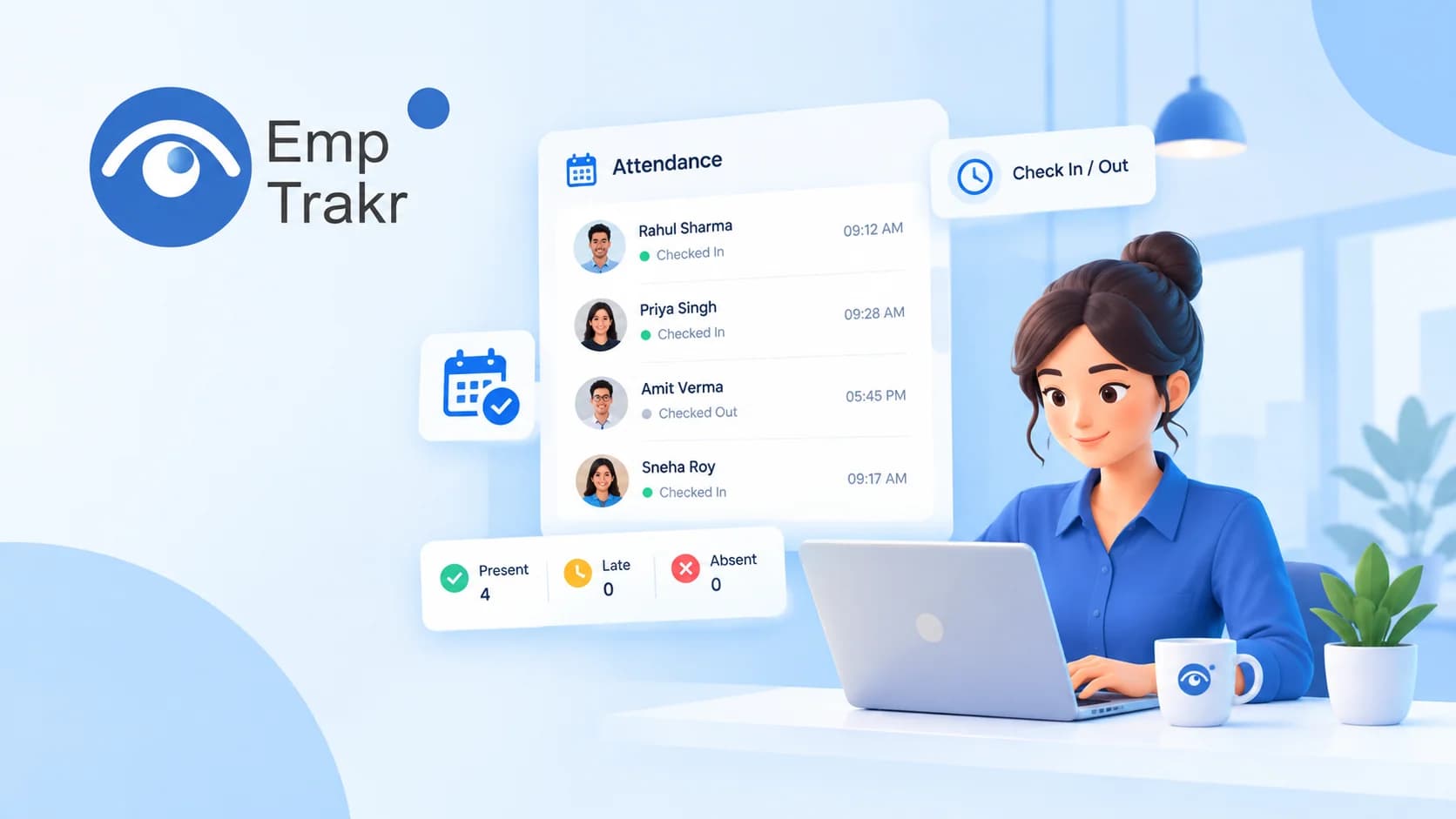
A Digital attendance system Gives small teams a simpler way to record working hours, monitor attendance, manage shifts, and review attendance history from one place.
The important point is that small teams do not necessarily need a complicated HR platform. They need an attendance system that is easy to set up, practical for everyday use, and connected with the other workflows they already use.
Quick Summary
A good digital attendance system for small teams should help you:
Record employee check-ins and check-outs automatically
Track working hours and breaks
Identify late arrivals and early departures
Manage shifts and work schedules
Monitor attendance for remote and hybrid employees
Keep accurate attendance history
Export reports when needed
Connect attendance data with time tracking and productivity workflows
Protect employee information with clear privacy controls
For teams that need more than attendance alone, a platform such as Employee monitoring software Can combine attendance with time, app activity, productivity, and other work visibility features.
Table of Contents
What Is a Digital Attendance System?
Why Small Teams Need Digital Attendance Tracking
What Features Actually Matter?
Digital Attendance for Remote and Hybrid Teams
Attendance vs Time Tracking
Connecting Attendance With Productivity
Managing Late Arrivals and Absences
Privacy and Employee Trust
How to Choose a Digital Attendance System
How EmpTrakr Supports Small Teams
Frequently Asked Questions
What Is a Digital Attendance System?
A digital attendance system is software that records and manages employee attendance electronically instead of relying on paper registers or manually updated spreadsheets.
Depending on the platform, it can record:
Clock-in time
Clock-out time
Breaks
Working hours
Late arrivals
Early departures
Absences
Overtime
Shift history
Leave status
Modern systems can also provide live attendance dashboards and downloadable reports.
For small businesses, this means managers do not have to repeatedly ask employees when they started work or manually calculate total hours at the end of the day.
A dedicated Attendance tracking system Can keep these records organized in one place.
Why Small Teams Need Digital Attendance Tracking
Small teams often have limited administrative resources.
There may be no dedicated HR employee checking attendance throughout the day. A founder, operations manager, team lead, or office administrator may be responsible for handling everything from attendance to payroll preparation.
That makes unnecessary manual work particularly expensive.
1. Less Manual Attendance Work
With a spreadsheet, someone usually needs to:
Collect attendance information
Check missing entries
Correct mistakes
Calculate working hours
Identify late arrivals
Prepare reports
A digital attendance system can automate much of this process.
Instead of maintaining separate records, managers can review attendance information from a centralized dashboard.
2. Better Attendance Accuracy
Manual attendance records can contain simple mistakes.
An employee may forget to update a spreadsheet. Someone may enter the wrong time. A manager may overlook an absence.
Digital attendance tracking creates a more consistent record of attendance activity.
This becomes particularly useful when attendance information is later used for payroll, overtime calculations, or internal reporting.
3. Easier Remote Attendance Management
Small teams are increasingly distributed across different locations.
Employees may work from home, from an office, or from different cities. In these situations, traditional attendance registers become less useful.
A digital system can provide a consistent attendance workflow for office, remote, and hybrid employees.
When combined with Time tracking software, managers can also understand how recorded attendance connects with actual working hours.
What Features Actually Matter in a Digital Attendance System?
Small teams do not need every feature available in enterprise HR software.
The better approach is to identify the features that solve real attendance problems.
1. Automatic Check-In and Check-Out
The foundation of any attendance system is reliable clock-in and clock-out tracking.
Employees should have a straightforward way to start and end their work sessions without creating additional administrative work.
EmpTrakr supports attendance through its desktop and web workflows, with live attendance status and recorded work sessions.
2. Working Hours and Break Tracking
Attendance should not only show whether someone was present.
It should also provide context around working hours and breaks.
For example:
| Attendance Information | Why It Matters |
|---|---|
| Check-in time | Shows when work started |
| Check-out time | Shows when work ended |
| Break time | Provides working-day context |
| Total hours | Helps with payroll and reporting |
| Overtime | Highlights additional working time |
| Idle periods | Adds context to recorded work sessions |
This is where attendance and Time tracking Become closely connected.
3. Shift Management
Not every small team works from 9 to 5.
Agencies, support teams, BPOs, software companies, and distributed teams may use different schedules.
A useful attendance system should therefore support:
Multiple shifts
Flexible schedules
Weekly offs
Holidays
Employee-specific work rules
This allows managers to evaluate attendance against the employee's actual schedule rather than applying one rule to everyone.
4. Late Arrival and Early Departure Tracking
A digital system can make attendance exceptions easier to identify.
Instead of manually checking timestamps, managers can quickly review who arrived late or left earlier than expected.
This is particularly useful for small teams where managers need a simple overview rather than a complicated HR report.
For teams specifically focused on punctuality and absence patterns, a guide such as Late and absence tracking software Can help explain how this workflow can be structured.
5. Attendance Reports
Reports are important because attendance data becomes much more useful when it can be reviewed over time.
A good system should make it possible to view attendance by:
Employee
Team
Day
Week
Month
Shift
Exportable reports can also reduce the amount of manual work required before payroll or internal reviews.
Digital Attendance for Remote and Hybrid Teams
Attendance becomes more complicated when employees are not working from the same location.
A small remote team may have employees working from different cities or time zones. A hybrid team may have employees visiting the office on different days.
A digital attendance system provides one consistent workflow across these situations.
For example:
Employee starts work → clocks in → attendance is recorded → manager sees status → employee ends work → session is recorded
When attendance is connected with other work signals, managers can get additional context without maintaining separate spreadsheets.
EmpTrakr combines attendance with work time, app usage, productivity, and other work visibility features in the same platform.
For teams that want to understand which applications employees are using during tracked work sessions, Live app tracking Can add another layer of operational context.
Attendance Tracking vs Time Tracking
Attendance and time tracking are closely related, but they are not exactly the same.
Attendance answers:
"Was the employee present?"
Time tracking answers:
"How much time was spent working?"
For example, an employee could be marked present from 9:00 AM to 5:00 PM, but their actual working-time information may also include breaks, idle periods, overtime, or different work sessions.
That is why small teams can benefit from using both systems together.
| Attendance Tracking | Time Tracking |
|---|---|
| Presence status | Actual work hours |
| Check-in/out | Work sessions |
| Absence | Breaks |
| Late arrival | Idle time |
| Shift attendance | Overtime |
| Leave status | Timesheets |
A platform that connects both can give managers a clearer picture of the working day.
Connecting Attendance With Productivity
Attendance alone does not explain everything about a workday.
An employee may be present for eight hours, but the type of work performed during those hours can vary significantly.
This is where Productivity tracking Can complement attendance data.
For example, a manager could review:
Attendance status
Total working hours
Active time
Idle periods
Application usage
Website activity
Productivity trends
The goal should not be to turn every metric into a performance score.
Instead, these signals can provide context for conversations about workload, processes, and productivity.
A responsible approach focuses on understanding work patterns rather than judging employees from a single metric.
Managing Late Arrivals and Absences
Late arrivals and unexplained absences are easier to manage when they are recorded consistently.
Instead of relying on memory or separate messages, managers can use attendance records to identify patterns.
For example:
Monday: Late arrival
Wednesday: On time
Friday: Late arrival
Over several weeks, this creates a clearer attendance history.
The important distinction is between Recording attendance And Using attendance data unfairly.
A good process should allow employees to explain legitimate exceptions such as:
Approved leave
Medical appointments
Technical problems
Flexible schedules
Different shift assignments
Manager-approved schedule changes
Digital attendance software should make these exceptions easier to manage, not harder.
Privacy and Employee Trust
Attendance software deals with employee information, so privacy should be part of the implementation process.
Employees should understand:
What information is collected
Why it is collected
When tracking happens
Who can access the data
How long information is retained
How attendance records can be corrected
This is especially important when attendance is part of a wider employee monitoring platform.
EmpTrakr positions its monitoring workflow around transparent tracking and work-session visibility rather than hidden surveillance.
Before implementing any digital attendance system, review the provider's Security and privacy Information and create an internal attendance policy that employees can easily understand.
How EmpTrakr Supports Small Teams
EmpTrakr brings attendance, time tracking, employee monitoring, productivity, and work visibility into one platform.
Its Employee monitoring software Provides broader visibility into work activity, while Attendance tracking Focuses specifically on employee presence, shifts, late arrivals, and attendance records.
Teams can also connect attendance with:
This makes it possible to move from a simple question such as "Who is working today?" To a broader understanding of how work time is being used.
For teams that need screenshots for specific workflows, screenshot monitoring can be configured as part of the wider monitoring setup rather than treating screenshots as the definition of attendance.
A Simple Setup for a Small Team
A digital attendance system does not have to require a complicated implementation.
A practical rollout can look like this:
Step 1: Define work rules
Decide working hours, shifts, breaks, overtime rules, and attendance expectations.
Step 2: Create the company workspace
Set up the admin account and add employees and teams.
Step 3: Configure attendance settings
Set the appropriate work schedules and attendance rules.
Step 4: Install the desktop application where required
For EmpTrakr, the Installation guide Walks administrators through workspace setup, employee creation, work-time rules, storage configuration, and desktop installation.
Step 5: Explain the policy to employees
Tell employees what is tracked, when it is tracked, and why.
Step 6: Review reports regularly
Use attendance reports to identify genuine operational issues rather than checking every individual timestamp unnecessarily.
What Small Teams Actually Need
The answer is usually simpler than many businesses expect.
A small team does not need an attendance platform that requires weeks of implementation and extensive HR training.
It needs a system that can reliably answer a few practical questions:
Who is working?
When did they start?
When did they finish?
Were they late or absent?
How many hours did they work?
Were there overtime or attendance exceptions?
Can we review the history later?
Once those basics are handled automatically, additional features such as time tracking, productivity analytics, app usage, and screenshots can be added when there is a genuine business need.
That is why an integrated platform can be useful for growing teams: attendance becomes one part of a broader workforce workflow rather than another separate spreadsheet.
Final Thoughts
A digital attendance system should make attendance management easier, not create another layer of administration.
For small teams, the priority should be reliable attendance records, simple employee workflows, accurate working-hour information, clear reporting, and responsible data handling.
Start with the basics: attendance, shifts, working hours, breaks, late arrivals, and absences.
Then, if your team needs deeper visibility, connect attendance with Time tracking, Productivity tracking, Live app tracking, or Screenshot monitoring.
The result is a cleaner workflow where attendance data does more than record presence. It becomes useful operational information that helps small teams manage work more consistently.
If you want to explore a broader workforce visibility platform, you can Learn more about EmpTrakr Or Get started.
Sources
- U.S. Department of Labor (DOL) — employee hours, timekeeping, recordkeeping requirements.
- UK Information Commissioner’s Office (ICO) — workplace monitoring, transparency, employee privacy, and proportionate monitoring.
- SHRM — employee absence and time/attendance tracking practices, including automated attendance software.
Frequently Asked Questions
What is a digital attendance system?
Is digital attendance software useful for small businesses?
Can digital attendance software work for remote employees?
What is the difference between attendance tracking and time tracking?
Related EmpTrakr resources
Continue with product pages that match this topic — and explore more guides on the blog.
Supercharge your workforce today.
Join leading companies using EmpTrakr to boost productivity, streamline tracking, and optimize remote teams.