What Data Does Employee Monitoring Software Actually Collect?| EmpTrakr
Before rolling out monitoring software, employees usually ask what gets recorded. This breakdown covers apps, websites, screenshots, and hours worked.
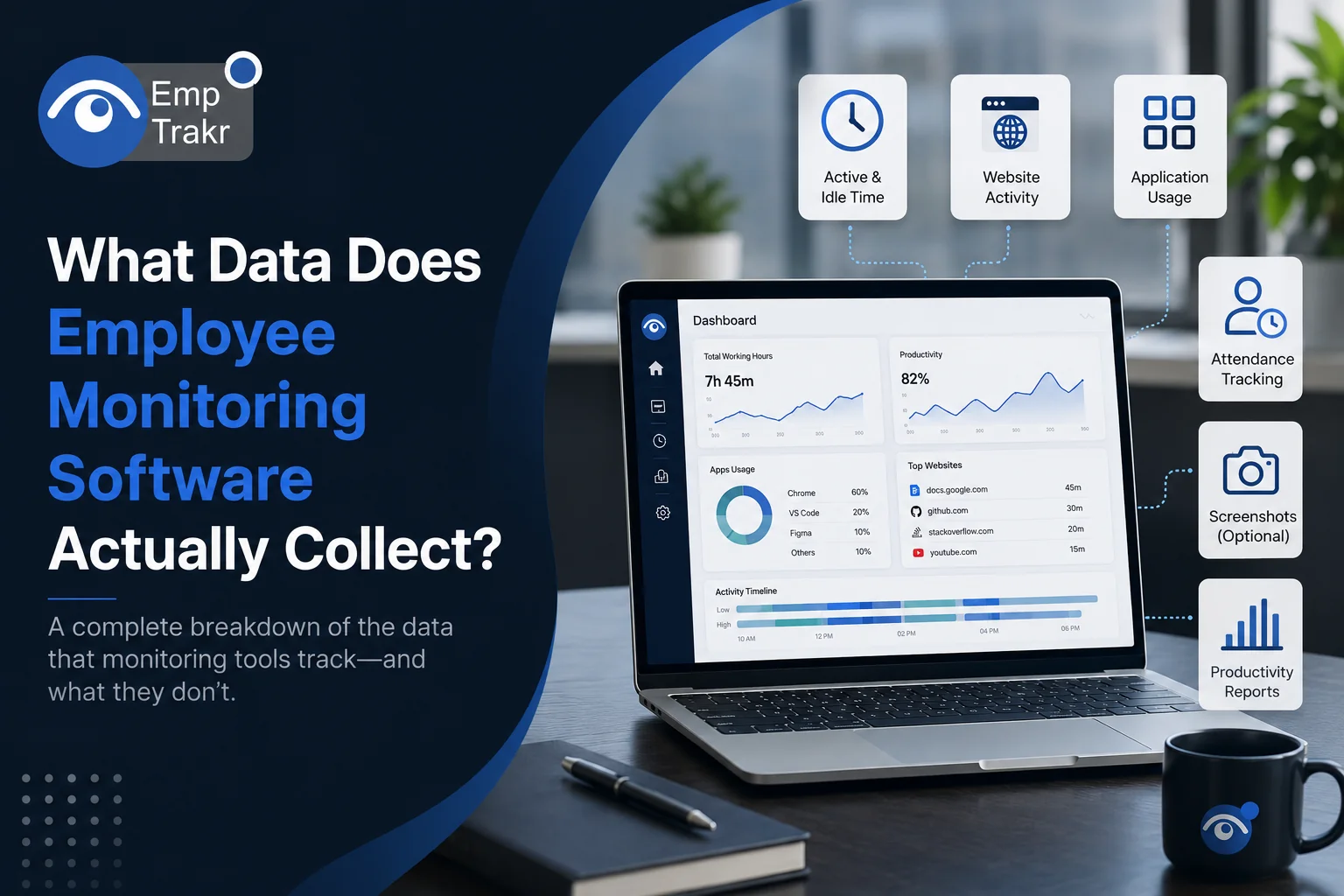
Employee monitoring software Typically tracks work-related activities such as active work hours, application usage, website visits, attendance, productivity trends, idle time, and optional screenshots. The exact data collected depends on the software configuration, company policies, and applicable privacy regulations.
What Data Does Employee Monitoring Software Actually Collect?
Employee monitoring software Has become an essential tool for businesses managing remote, hybrid, and office-based teams. Yet one of the most common questions employees and employers ask is, "What does employee monitoring software track?"
The answer isn't as simple as "everything." Modern monitoring platforms are designed to collect work-related data that helps organizations improve productivity, strengthen security, and optimize workflows—not invade employee privacy.
Understanding What employee monitoring software records Helps businesses implement monitoring transparently while giving employees confidence that the technology is being used responsibly.
In this guide, we'll explain the different types of employee monitoring data, why organizations collect it, and the best practices for balancing productivity with privacy.
Quick Summary
Key Takeaways
- Employee monitoring software collects work-related productivity and activity data.
- The exact information depends on company settings and business requirements.
- Modern monitoring tools include privacy controls and customizable monitoring options.
- Transparency and clear communication help build employee trust.
Table of Contents
- Why Businesses Monitor Employee Activity
- What Data Does Employee Monitoring Software Track?
- What Employee Monitoring Software Usually Doesn't Track
- Why This Data Matters
- Privacy and Transparency Best Practices
- Comparison Table
- FAQs
- Conclusion
Why Businesses Monitor Employee Activity
Organizations use Employee monitoring software To gain visibility into how work is performed, identify productivity bottlenecks, improve security, and manage distributed teams more effectively.
Instead of relying on assumptions, managers can use real-time insights to optimize workflows, improve resource allocation, and support employee performance. When implemented ethically, monitoring benefits both employers and employees by creating a more transparent and accountable workplace.
What Data Does Employee Monitoring Software Track?
The answer to What does employee monitoring software track Depends on the platform and configuration. Most modern solutions focus on collecting work-related activity rather than personal information.
1. Active and Idle Time
The software measures how long employees actively use their computers and identifies periods of inactivity. This helps managers understand work patterns and identify opportunities to improve productivity.
2. Application Usage
Monitoring tools record which applications employees use during work hours and how much time is spent in each program. This information helps businesses understand software utilization and optimize workflows.
3. Website Activity
Many solutions track websites accessed on company devices. This allows organizations to distinguish between work-related browsing and non-business activities while supporting acceptable use policies.
4. Attendance and Working Hours
Employee monitoring platforms often include attendance tracking by recording login times, logout times, total working hours, and break durations.
5. Productivity Reports
Rather than evaluating isolated activities, modern software combines multiple data points to generate productivity reports, helping managers identify trends and make informed decisions.
6. Screenshots (Optional)
Some platforms capture screenshots at scheduled intervals. Screenshot monitoring is typically optional and can be customized with privacy settings such as screenshot blurring or adjustable capture frequency.
7. Activity Logs
Employee monitoring software may maintain logs of application usage, project activity, file access (where enabled), and other work-related events to support reporting and compliance.
What Employee Monitoring Software Usually Doesn't Track
A common misconception is that monitoring software records everything an employee does. In reality, reputable platforms are designed to respect privacy and focus on business-related activities.
Most organizations do not monitor:
- Personal devices not owned by the company
- Personal emails (unless using company systems under policy)
- Personal conversations outside approved business platforms
- Webcam or microphone activity without explicit configuration and legal compliance
- Personal files unrelated to work
Exactly What employee monitoring software records Depends on organizational policies, software settings, and local privacy laws.
Why This Data Matters
Collecting work-related monitoring data provides several business benefits:
- Improves productivity through actionable insights.
- Supports remote and hybrid workforce management.
- Helps identify workflow bottlenecks.
- Strengthens data security and compliance.
- Enables fair, data-driven performance evaluations.
- Improves project planning and resource allocation.
The goal is to improve operational efficiency—not to micromanage employees.
Employee Monitoring Software Privacy Transparency
Successful monitoring depends on transparency. Businesses should clearly explain:
- What data is being collected.
- Why the data is collected.
- Who can access monitoring reports.
- How long information is retained.
- How monitoring supports business objectives.
Following these Employee monitoring software privacy transparency Practices helps organizations maintain employee trust while complying with labor and data privacy regulations.
Comparison Table
| Data Type | Commonly Collected | Purpose |
|---|---|---|
| Active Work Time | Yes | Productivity measurement |
| Idle Time | Yes | Workflow analysis |
| Application Usage | Yes | Software utilization |
| Website Activity | Yes | Productivity insights |
| Attendance | Yes | Work-hour tracking |
| Screenshots | Optional | Activity verification |
| Productivity Reports | Yes | Performance trends |
| Personal Files | Typically No | Privacy protection |
Frequently Asked Questions
What does employee monitoring software track?
Most employee monitoring software tracks active work time, application usage, website activity, attendance, productivity metrics, and optional screenshots. The exact data collected depends on the software configuration.
Does employee monitoring software record everything?
No. Reputable monitoring solutions focus on work-related activities and typically do not monitor personal devices or unrelated personal information.
Are screenshots always enabled?
No. Screenshot capture is usually optional and can be customized or disabled based on company policies.
Why do businesses collect employee monitoring data?
Organizations use monitoring data to improve productivity, strengthen security, optimize workflows, support remote teams, and make informed business decisions.
How can businesses monitor employees ethically?
Employers should communicate monitoring policies clearly, collect only necessary work-related data, respect employee privacy, comply with local regulations, and use monitoring insights to improve processes rather than micromanage employees.
Conclusion
Understanding What does employee monitoring software track Helps businesses implement monitoring responsibly while addressing employee concerns. Modern monitoring solutions are designed to collect work-related productivity data—not personal information—and provide valuable insights that improve efficiency, accountability, and security.
By combining transparency, ethical monitoring practices, and privacy-focused configurations, organizations can build trust while making better business decisions. If you're looking for a comprehensive workforce monitoring solution, EmpTrakr Offers Employee monitoring, Time tracking, Productivity analytics, Attendance management, and customizable privacy controls to help businesses manage modern teams with confidence.
Related EmpTrakr resources
Continue with product pages that match this topic — and explore more guides on the blog.
Supercharge your workforce today.
Join leading companies using EmpTrakr to boost productivity, streamline tracking, and optimize remote teams.

