Onboarding Employee Monitoring Software for Your First 10 Hires| EmpTrakr
Rolling out monitoring software with your first employees sets the tone for years. A simple, transparent step-by-step setup checklist.
An effective employee monitoring onboarding setup helps businesses introduce monitoring software to new hires with transparency, clear policies, and proper configuration. By following a structured rollout process, startups and small businesses can improve productivity, ensure compliance, and build employee trust from day one.
Onboarding Employee Monitoring Software for Your First 10 Hires
Hiring your first employees is a major milestone for any startup or growing business. As your team expands, it becomes more challenging to track productivity, manage workloads, and maintain accountability without creating unnecessary administrative work.
This is where an employee monitoring onboarding setup becomes valuable. Instead of introducing monitoring after problems arise, businesses can make it part of the onboarding process from the beginning. When employees understand what is monitored, why it matters, and how the data is used, they are more likely to trust the system and use it effectively.
This guide explains how to roll out employee monitoring software for your first 10 hires, avoid common mistakes, and create a transparent monitoring policy that supports both business growth and employee confidence.
Quick Summary
Key Takeaways
- Introduce monitoring software during employee onboarding.
- Be transparent about what data is collected and why.
- Configure monitoring settings based on job roles.
- Use monitoring insights to improve productivity, not micromanage employees.
- Review your monitoring policy regularly as your team grows.
Table of Contents
- Why Start Monitoring During Onboarding?
- Employee Monitoring Onboarding Setup: Step-by-Step
- Employee Monitoring Rollout Checklist
- Best Practices for New Teams
- Common Mistakes to Avoid
- FAQs
- Conclusion
Why Start Monitoring During Onboarding?
Implementing monitoring software during onboarding creates clear expectations from day one. Instead of surprising employees with new tools later, you establish transparency and consistency as part of your company culture.
Early implementation helps businesses:
- Build accountability from the start.
- Track attendance and work hours accurately.
- Standardize productivity reporting.
- Improve workflow visibility.
- Reduce onboarding confusion.
- Support remote and hybrid employees.
For startups with fewer than 10 employees, establishing good habits early is much easier than changing processes later.
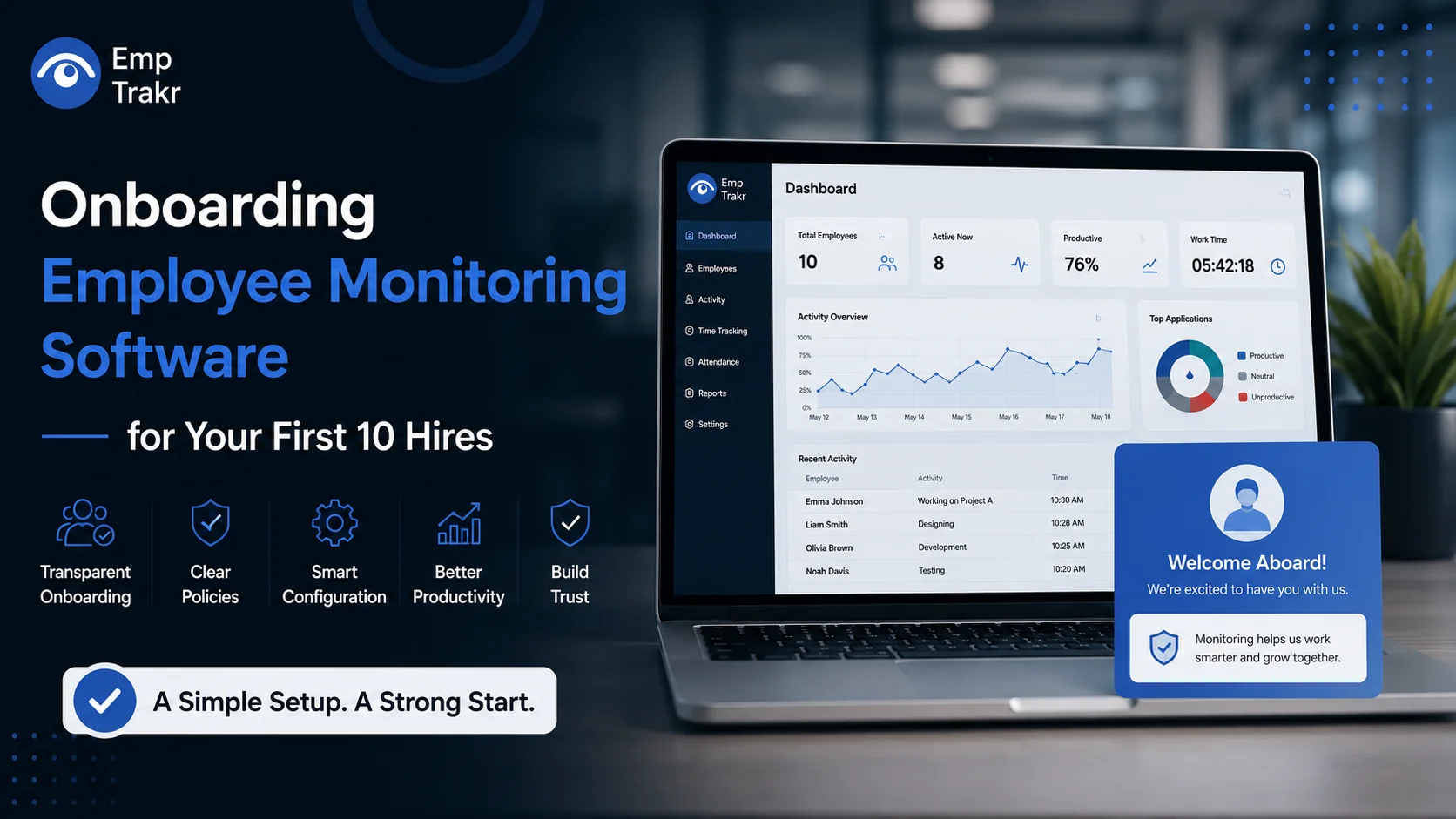
Employee Monitoring Onboarding Setup: Step-by-Step
Follow these onboarding staff monitoring software steps to ensure a smooth rollout.
Step 1: Define Your Goals
Decide what you want to achieve with employee monitoring, such as:
- Productivity tracking
- Attendance management
- Time tracking
- Project visibility
- Data security
Clear goals help you choose the right settings and communicate them effectively.
Step 2: Create a Monitoring Policy
Your new employee monitoring policy setup should explain:
- What information is collected.
- Why monitoring is necessary.
- Who can access the reports.
- How long data is retained.
- Employee rights and privacy protections.
Provide this policy during onboarding and allow employees to ask questions.
Step 3: Install the Software
Install the monitoring software on company-owned devices before employees begin their work. Configure user accounts, assign departments, and verify that reporting works correctly.
Step 4: Configure Monitoring Settings
Different roles require different monitoring levels. For example:
- Sales teams may focus on CRM usage.
- Developers may spend more time in coding tools.
- Designers may have longer periods of low keyboard activity.
Customize settings based on job responsibilities rather than applying identical rules to everyone.
Step 5: Train Employees
Show new hires how the software works, what data is visible, and how reports are used. Transparency reduces concerns and improves adoption.
Step 6: Review Reports Regularly
Use reports to identify workflow improvements, training opportunities, and resource needs. Focus on trends instead of isolated events.
Employee Monitoring Rollout Checklist
Use this employee monitoring rollout checklist before onboarding new employees:
- Define business objectives.
- Select monitoring software that fits your needs.
- Create a written monitoring policy.
- Configure role-based monitoring settings.
- Install software on company devices.
- Train managers on ethical monitoring practices.
- Explain monitoring during employee onboarding.
- Test reports and dashboards.
- Review privacy compliance requirements.
- Schedule regular policy reviews.
Best Practices
To make your set up employee monitoring for new hires process successful:
- Be transparent from day one.
- Monitor only work-related activities.
- Collect only the data your business actually needs.
- Respect employee privacy and local regulations.
- Use reports for coaching rather than punishment.
- Review settings as your company grows.
- Encourage employee feedback about the monitoring process.
Common Mistakes to Avoid
| Mistake | Better Approach |
|---|---|
| Introducing monitoring without explanation | Discuss it during onboarding |
| Applying the same settings to every role | Customize monitoring by job function |
| Focusing only on screenshots | Analyze overall productivity trends |
| Ignoring employee questions | Provide clear documentation and training |
| Using reports for micromanagement | Use data to improve workflows and support employees |
Frequently Asked Questions
What is an employee monitoring onboarding setup?
It is the process of introducing employee monitoring software during the onboarding of new hires, including installation, policy communication, and employee training.
When should monitoring software be introduced?
The best time is during onboarding, before employees begin regular work. This creates transparency and sets clear expectations from the start.
How do I set up employee monitoring for new hires?
Install the software on company devices, configure role-based settings, provide a written monitoring policy, train employees, and review reports regularly to improve workflows.
Should every employee have the same monitoring settings?
No. Monitoring settings should reflect job responsibilities, workflows, and business requirements rather than using a one-size-fits-all approach.
How can startups build trust while using monitoring software?
Be transparent about what is monitored, explain the business purpose, respect employee privacy, and use monitoring data to support productivity and development instead of micromanagement.
Conclusion
Implementing an employee monitoring onboarding setup for your first 10 hires helps establish transparency, accountability, and efficient work practices from the beginning. By combining a clear monitoring policy, role-based configurations, and open communication, businesses can create a productive workplace where employees understand how monitoring supports both individual success and organizational growth. As your team expands, review your monitoring policies regularly and adapt them to changing business needs. A thoughtful onboarding process today can prevent confusion, improve adoption, and build a strong foundation for long-term workforce management. If you're looking for an all-in-one solution, EmpTrakr Provides Employee monitoring, time tracking, attendance management, productivity analytics, and customizable dashboards to help startups and growing businesses onboard new employees with confidence.
Related EmpTrakr resources
Continue with product pages that match this topic — and explore more guides on the blog.
Supercharge your workforce today.
Join leading companies using EmpTrakr to boost productivity, streamline tracking, and optimize remote teams.

