Employee Computer Monitoring Software: Full Setup Walkthrough| EmpTrakr
Set up employee computer monitoring software in minutes. This quick walkthrough covers installation, permissions, and free dashboard setup.
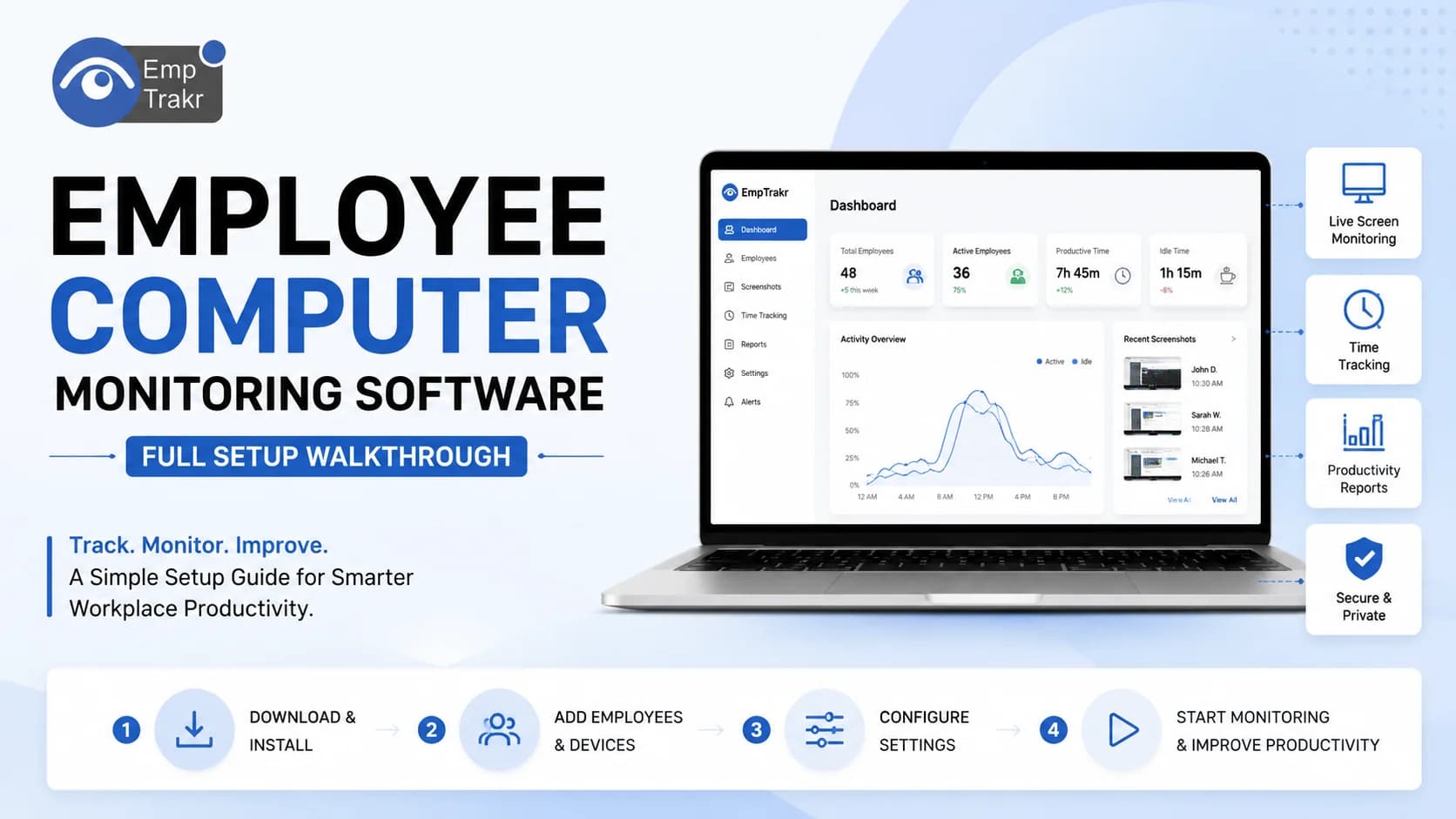
Employee productivity has become one of the biggest challenges for organizations managing hybrid, remote, and office-based teams. Without visibility into daily work activities, managers often struggle to identify productivity bottlenecks, security risks, and inefficient workflows.
According to Microsoft's Work Trend Index, flexible work is now the norm for many organizations, while managers continue to seek better visibility into team performance. At the same time, Gallup reports that employee engagement remains a critical factor influencing business performance.
This is where employee computer monitoring software becomes valuable.
Instead of relying on assumptions, organizations can use real-time data to understand how employees spend their work hours, optimize workflows, protect company assets, and support informed decision-making.
In this guide, you'll learn what employee computer monitoring software is, how it works, its benefits, implementation best practices, and how to choose the right solution for your organization.
Quick Summary
Key Takeaways
- Employee computer monitoring software improves productivity visibility.
- Modern solutions balance monitoring with employee privacy.
- Proper implementation requires transparency and clear policies.
- Choosing the right software depends on your business goals and workforce size.
Table of Contents
- What is Employee Computer Monitoring Software?
- Why Businesses Use Employee Monitoring Software
- Key Features to Look For
- Benefits for HR, IT, and Business Leaders
- How Employee Computer Monitoring Software Works
- Step-by-Step Implementation Guide
- Best Practices
- Common Mistakes
- Comparison Table
- FAQs
- Conclusion
What Is Employee Computer Monitoring Software?
Employee computer monitoring software is a business solution that tracks computer activities performed during working hours. It helps organizations understand how employees use business devices, applications, websites, and work time.
Unlike traditional surveillance tools, modern monitoring platforms focus on improving operational efficiency rather than simply watching employees.
Common monitoring capabilities include:
- Application usage
- Website tracking
- Productive vs. Unproductive time
- Attendance tracking
- Idle time detection
- Screenshot capture (optional)
- Activity reports
- Productivity analytics
- Time tracking
- Remote workforce monitoring
These insights help managers make informed decisions using objective performance data.
Why Businesses Use Employee Computer Monitoring Software
Organizations adopt monitoring software for several reasons beyond measuring productivity.
Improve Productivity
Managers gain visibility into how work hours are spent. Instead of guessing why projects are delayed, they can identify workflow bottlenecks and optimize processes.
Strengthen Data Security
Monitoring solutions help detect suspicious activities such as unauthorized file transfers, excessive downloads, or access to restricted websites.
Support Remote Teams
Hybrid and remote work environments require better visibility without constant supervision.
Computer monitoring software enables managers to monitor work progress regardless of employee location.
Improve Resource Planning
Activity reports reveal:
- Underutilized resources
- High-performing teams
- Workload imbalance
- Training opportunities
This data supports smarter business decisions.
Key Features to Look For
When selecting computer monitoring software for staff, prioritize features that deliver actionable insights instead of overwhelming amounts of data.
Essential features include:
| Feature | Business Benefit |
|---|---|
| Time Tracking | Accurate work-hour reporting |
| Productivity Analytics | Measure productive time |
| App & Website Monitoring | Identify work patterns |
| Attendance Tracking | Improve accountability |
| Idle Time Detection | Reduce productivity loss |
| Screenshot Monitoring | Visual activity verification |
| Reports & Dashboards | Better decision-making |
| Role-Based Access | Secure data management |
Not every business needs every feature. Focus on tools that align with your operational goals and compliance requirements.
Benefits for HR Managers, IT Teams, and Business Owners
For HR Managers
- Performance insights
- Fair employee evaluations
- Attendance visibility
- Workforce planning
For IT Managers
- Device monitoring
- Security oversight
- Compliance reporting
- Software usage analysis
For Business Owners
- Increased operational efficiency
- Better project management
- Reduced operational waste
- Improved profitability
These benefits are most effective when monitoring is implemented transparently and ethically.
How Employee Computer Monitoring Software Works
Most platforms follow a straightforward setup process:
- Install the monitoring agent on company devices.
- Configure monitoring policies based on employee roles.
- Define productivity categories.
- Generate activity reports.
- Review dashboards regularly.
- Identify improvement opportunities.
- Adjust workflows based on insights.
Rather than monitoring every click, businesses should focus on meaningful productivity trends.
How Employee Computer Monitoring Software Works
Understanding how employee computer monitoring software functions can help businesses implement it effectively and ethically. Most modern solutions are designed to collect work-related activity data while providing actionable insights through intuitive dashboards and reports.
Step 1: Install the Monitoring Agent
The first step is to install the software on company-owned desktops or laptops. Most enterprise solutions offer centralized deployment, making it easy for IT teams to install the software across multiple devices.
Step 2: Configure Monitoring Policies
Define what activities should be monitored based on employee roles and business requirements. For example, developers may require access to different applications than customer support teams.
Step 3: Collect Activity Data
The software records work-related metrics such as:
- Active and idle time
- Application usage
- Website activity
- Login and logout times
- Productivity trends
- Attendance records
Some platforms also offer optional screenshot capture and screen recording, which should only be enabled when necessary and in compliance with company policies.
Step 4: Generate Reports and Dashboards
The collected data is transformed into easy-to-understand reports and visual dashboards. Managers can quickly identify productivity trends, workload distribution, and areas that need improvement.
Step 5: Optimize Workflows
Instead of focusing on individual actions, businesses should use monitoring data to improve workflows, remove bottlenecks, and support employee development.
Step-by-Step Implementation Guide
A successful implementation requires more than installing software. Follow these best practices to ensure a smooth rollout.
1. Define Your Objectives
Identify why your organization needs employee monitoring software. Your goals may include:
- Improving productivity
- Strengthening security
- Tracking attendance
- Supporting remote teams
- Meeting compliance requirements
2. Choose the Right Software
Evaluate solutions based on:
- Business size
- Required features
- Ease of use
- Reporting capabilities
- Scalability
- Security standards
3. Create a Clear Monitoring Policy
Document:
- What information will be collected
- Why monitoring is necessary
- Who can access the data
- How long data will be stored
- Employee rights and responsibilities
4. Inform Employees
Transparency is essential. Explain how the software works and how it benefits both employees and the organization.
5. Install and Configure the Software
Deploy the software across company devices and customize settings based on departments or job roles.
6. Review Reports Regularly
Analyze productivity reports weekly or monthly to identify trends rather than focusing on isolated incidents.
7. Continuously Improve
Use insights to streamline workflows, provide coaching, and improve business processes.
Best Practices
To maximize the value of employee computer monitoring software, follow these proven best practices:
- Be transparent about monitoring policies.
- Monitor work-related activities only.
- Focus on productivity trends rather than micromanagement.
- Respect employee privacy and comply with local laws.
- Use reports to support coaching and development.
- Review monitoring settings periodically.
- Restrict access to sensitive monitoring data.
- Regularly update your monitoring software to maintain security.
Common Mistakes to Avoid
Many organizations fail to realize the full benefits of monitoring software because of poor implementation. Avoid these common mistakes:
| Mistake | Better Approach |
|---|---|
| Monitoring without employee knowledge | Communicate policies clearly |
| Collecting excessive data | Track only relevant work activities |
| Using monitoring for micromanagement | Focus on productivity improvement |
| Ignoring privacy regulations | Follow applicable labor and data protection laws |
| Reviewing only individual performance | Analyze team-wide productivity trends |
| Not acting on collected insights | Use reports to improve workflows and decision-making |
Employee Computer Monitoring Software Comparison
| Feature | Basic Monitoring Tools | Advanced Employee Monitoring Software |
|---|---|---|
| Time Tracking | Limited | Comprehensive |
| Productivity Analytics | Basic | Advanced dashboards and reports |
| Website Monitoring | Yes | Yes |
| Application Tracking | Limited | Detailed insights |
| Attendance Tracking | Basic | Automated |
| Idle Time Detection | Limited | Real-time |
| Security Monitoring | Minimal | Comprehensive |
| Reporting | Basic | Customizable |
| Scalability | Small teams | Businesses of all sizes |
Expert Tips
- Define success metrics before implementing monitoring software.
- Use productivity data to improve processes, not to punish employees.
- Combine monitoring insights with regular one-on-one feedback sessions.
- Review reports at the team level to identify workflow improvements.
- Periodically evaluate whether your monitoring policies align with changing business needs and legal requirements.
Mini Case Study
Scenario: A mid-sized IT services company struggled to understand why project deadlines were consistently missed despite employees reporting full workdays.
After implementing employee computer monitoring software, managers discovered that frequent application switching and lengthy idle periods during meetings were reducing productive work time.
Instead of increasing supervision, the company restructured meeting schedules, improved task allocation, and provided productivity coaching. Within three months, project completion rates improved, employee workloads became more balanced, and managers gained better visibility into overall team performance.
This example demonstrates how monitoring software can be used as a tool for continuous improvement rather than surveillance.
Conclusion
Employee computer monitoring software Has become an essential business tool for organizations managing office-based, remote, and hybrid teams. When implemented transparently and ethically, it provides valuable insights into productivity, attendance, workflow efficiency, and security without compromising employee trust.
The key to success is choosing software that aligns with your business objectives, communicating clearly with employees, and using monitoring data to improve processes rather than micromanage individuals.
As workplaces continue to evolve, organizations that leverage data-driven workforce insights will be better positioned to enhance productivity, strengthen compliance, and support long-term business growth.
Why Choose EmpTrakr?
If you're looking for a comprehensive solution to monitor employee productivity, streamline attendance tracking, and gain actionable workforce insights, EmpTrakr offers an all-in-one platform designed for modern businesses.
With features such as employee computer monitoring, time tracking, productivity analytics, attendance management, customizable reports, and secure workforce monitoring, EmpTrakr helps HR managers, IT teams, and business owners make informed decisions while maintaining transparency and employee trust.
Ready to optimize your workforce? Explore EmpTrakr to see how it can help your organization improve productivity, enhance operational efficiency, and support smarter workforce management.
Related EmpTrakr resources
Continue with product pages that match this topic — and explore more guides on the blog.
Supercharge your workforce today.
Join leading companies using EmpTrakr to boost productivity, streamline tracking, and optimize remote teams.

