How to Identify Where AI Improves Employee Productivity| EmpTrakr
Learn how to identify where AI improves employee productivity, find workflow bottlenecks, measure performance, and prioritize improvements that deliver results.
How to Identify Where AI Improves Employee Productivity, and Where It Doesn’t
AI tools can help employees complete repetitive tasks, analyze information faster, and reduce manual work. However, introducing AI into a workflow does not automatically improve productivity. The real challenge is identifying which tasks benefit from AI, which processes need better organization, and how to measure whether a change delivers meaningful results.
For organizations investing in artificial intelligence, the goal should not be to use more tools simply because they are available. It should be to make work more efficient without sacrificing quality, collaboration, or employee experience.
A practical starting point is understanding how work happens today. By examining application usage, time allocation, work patterns, and recurring bottlenecks, organizations can make more informed decisions about where AI and automation belong.
Key Takeaways
Understand the workflow before introducing AI. Identify repetitive tasks, unnecessary steps, delays, and application switching before choosing a solution.
Match the solution to the problem. AI, traditional automation, process redesign, and employee training solve different types of workflow challenges.
Use employee productivity data to guide decisions. Application usage and time-tracking insights can help reveal patterns that require further investigation.
Measure results before and after implementation. Compare task completion time, output quality, error rates, and other relevant performance indicators.
Improve continuously. Review results, address remaining bottlenecks, and refine workflows as business requirements change.
The 5 Stages of AI-Driven Workflow Improvement
Organizations can use a five-stage framework to evaluate and improve workflows: Discover, Prioritize, Act, Measure, and Scale.
Each stage serves a different purpose. Discovery identifies the problem, prioritization determines which opportunity deserves attention, action introduces the change, measurement evaluates the outcome, and scaling extends successful improvements to other relevant workflows.
1. Discover: Identify Where Work Gets Stuck
Many organizations begin an AI initiative with a proposed solution instead of a clearly defined problem. A manager might assume that employees need an AI assistant, that a department needs additional software, or that a repetitive process should be automated.
These assumptions may be correct, but they should be tested against actual workflow evidence.
Start by examining how employees spend their working time, which applications support their responsibilities, and where repetitive activities or interruptions occur. For example, an employee may spend substantial time transferring information between applications, preparing recurring reports, or searching for information across multiple systems.
These patterns can indicate opportunities for improvement, but they do not automatically prove that an employee is unproductive or that AI is the right answer.
A useful discovery process examines three connected areas:
People: Understand role-specific responsibilities, workload distribution, training needs, and the work conditions that help employees perform effectively.
Process: Map the steps involved in completing a task. Look for duplicate data entry, unnecessary approvals, repeated manual checks, avoidable delays, and unclear handoffs.
Technology: Evaluate the applications employees use, how well those applications support their tasks, and whether existing software already provides the required functionality.
EmpTrakr's Employee monitoring software And Productivity tracking Capabilities can support this discovery process by helping teams understand digital work patterns and identify areas that may deserve closer examination.
The objective is to understand how work gets done before deciding what should change.
2. Prioritize: Decide Which Problems Deserve Attention First
Discovery may reveal several opportunities, but organizations rarely have the time or resources to address everything simultaneously. Prioritization helps teams focus on improvements that are most likely to deliver meaningful business value.
Consider four questions when evaluating a potential AI use case:
How much time does the current process consume?
How frequently does the task occur?
What is the effect of the problem on quality, turnaround time, or customer experience?
Can the proposed solution be implemented safely and measured reliably?
For example, automating a repetitive report generated every day may offer a more immediate benefit than introducing an AI tool into a process that requires complex human judgment and occurs only occasionally.
It is also important to distinguish between different types of problems.
| Workflow problem | Potential solution |
|---|---|
| Repetitive, rules-based data entry | Traditional automation |
| Drafting, summarizing, or classifying information | AI assistance, with appropriate review |
| Frequent switching between disconnected applications | Workflow redesign or better integration |
| Employees struggle to use an existing application | Training and enablement |
| Unclear responsibilities or unnecessary approvals | Process redesign |
| Limited visibility into how time is allocated | Time tracking and productivity analysis |
AI should be considered one option rather than the default solution for every inefficiency.
3. Act: Implement the Right Improvement
After prioritizing a workflow problem, select an intervention that addresses its underlying cause.
Suppose an operations team spends several hours each week compiling information from multiple sources. An AI assistant might help summarize information or prepare an initial report. However, if employees must still copy data manually from disconnected applications, AI alone may not resolve the entire problem.
The team may also need better integration, standardized input formats, or an automated data-transfer process.
Similarly, if a team experiences delays because approval responsibilities are unclear, introducing another AI application is unlikely to fix the issue. Clarifying ownership and simplifying the approval process may be more effective.
Before implementing a change, define the expected outcome. Examples include reducing average task completion time, lowering the number of manual steps, improving report accuracy, or reducing avoidable rework.
Start with a limited pilot when practical. Test the proposed change with a suitable workflow, collect feedback from employees, and check for unexpected problems before expanding the implementation.
This approach limits unnecessary investment and gives teams an opportunity to refine the solution.
4. Measure: Prove Whether Productivity Actually Improved
AI adoption and productivity improvement are not the same thing. Employees may use an AI tool frequently without producing better results, and a process may become faster while creating additional errors or review work.
Measurement helps organizations distinguish genuine improvements from assumptions.
Before implementing a change, establish a baseline. Record the existing task completion time, typical output volume, error rate, or another metric directly related to the problem. After implementation, compare the results under reasonably similar working conditions.
For example, consider a recurring reporting process:
Before: Employees spend four hours preparing a report.
After: The process takes two and a half hours, including AI-assisted drafting and human review.
Observed change: The task requires 1.5 fewer hours per reporting cycle.
That represents a 37.5% reduction in time spent on the task, assuming the original and revised measurements are comparable. It does not automatically mean that overall employee productivity increased by 37.5%.
To evaluate the broader impact, also examine report accuracy, review time, completion frequency, and whether the time saved is redirected toward useful work.
Useful measurements may include:
Average time required to complete a task.
Output quality and error rates.
Time spent on repetitive manual activities.
Application usage and workflow interruptions.
Project turnaround time and rework.
Employee feedback and the usability of the revised process.
EmpTrakr's Time tracking software And Attendance tracking Can help teams understand time allocation and attendance patterns. These measurements should be interpreted alongside task outcomes and the requirements of each role, rather than treated as standalone proof of productivity.
The goal is not to collect more data for its own sake. It is to determine whether the change solved the original problem.
5. Scale: Extend Successful Improvements Across the Organization
Once a pilot demonstrates measurable benefits, evaluate whether the improvement can work in other teams or workflows.
A solution that works well for a customer support team may not be suitable for a design team or an HR department. Tasks differ in complexity, data sensitivity, quality requirements, and the amount of human judgment they require.
Before scaling an AI initiative, document the original problem, the selected intervention, the implementation requirements, the measured results, and any limitations identified during the pilot.
Next, prepare the people and systems involved. Employees may need training, managers may need updated procedures, and technology teams may need to address integration, access control, or data protection requirements.
Continue measuring performance after rollout. A successful pilot does not guarantee that the same results will occur at a larger scale, especially when workflows, workloads, and employee experience differ across teams.
Organizations should also be prepared to revise or discontinue an approach that no longer delivers sufficient value.
Where AI Helps Most—and Where It May Not
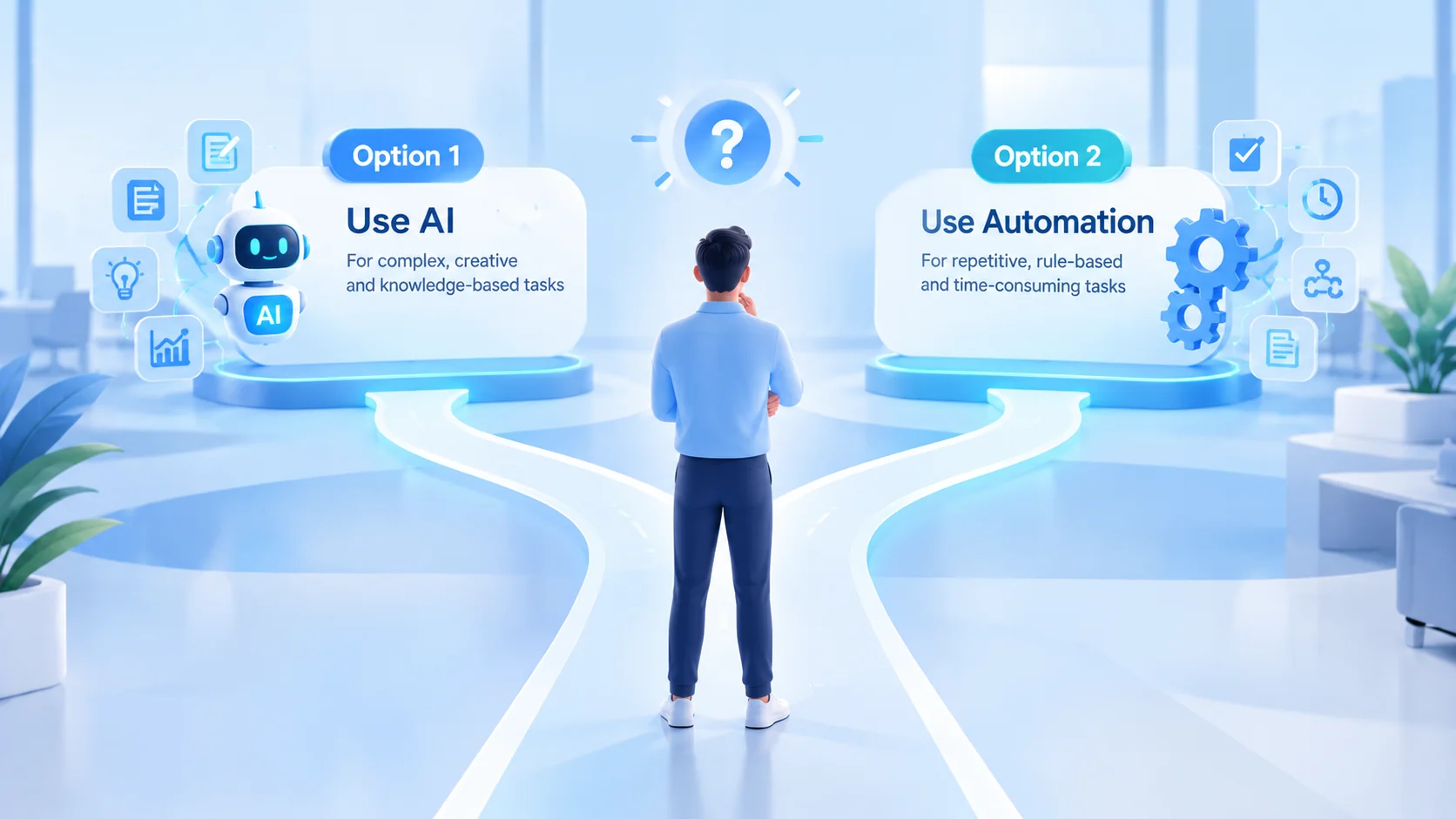
The most useful question is not whether AI can be applied to a task. It is whether AI is the most effective way to improve that task.
AI can be useful for drafting routine communications, summarizing long documents, classifying incoming requests, extracting information, and supporting data analysis. These activities often involve information processing that can be reviewed against clear requirements.
However, AI may be less appropriate when a task depends on nuanced human judgment, sensitive employee decisions, highly specialized context, or information that cannot be verified reliably. In these situations, AI may assist a qualified person, but it should not automatically replace human responsibility.
Traditional automation is often better suited to predictable, rules-based tasks. Workflow redesign is more appropriate when the process itself contains unnecessary steps. Training may be the right answer when employees already have access to suitable tools but lack the knowledge to use them effectively.
Organizations should also avoid using application activity alone to judge an employee's contribution. Reading, planning, mentoring, meetings, and creative work may not produce the same visible activity patterns as repetitive computer-based tasks.
The right intervention depends on the task, the business objective, the risks, and the evidence available.
How Employee Productivity Data Supports Better AI Decisions
Workflow improvement requires an understanding of how work is performed, not simply a list of installed applications.
Application usage can help reveal which tools employees rely on, whether particular applications appear underused, and where work may involve frequent switching. Time-tracking data can help teams understand how working time is allocated, while attendance information provides context about scheduled work patterns.
When interpreted together with process documentation, employee feedback, and output quality, these insights can help managers identify questions worth investigating.
For example, a team might discover that employees spend considerable time moving between applications. The next step is to determine whether this is necessary collaboration, avoidable switching, or a sign that systems do not work well together.
EmpTrakr provides features that can support this broader understanding of digital work:
Employee monitoring software For visibility into digital work activity.
Productivity tracking For understanding work patterns.
Time tracking software For examining time allocation.
Attendance tracking For attendance-related visibility.
Live app tracking For understanding application activity.
Screenshot monitoring For visual context where appropriate and permitted.
These capabilities provide operational context; they do not independently determine whether AI is the right solution or prove that an employee is productive. Responsible use requires appropriate access controls, transparent policies, and consideration of employee privacy.
Build an Evidence-Based Approach to AI Productivity
Successful AI transformation is an ongoing improvement process. Organizations need to understand existing workflows, identify high-value opportunities, select the right intervention, measure the results, and expand only when the evidence supports doing so.
Some problems will benefit from AI. Others will be solved more effectively through traditional automation, improved application integration, clearer responsibilities, or better employee training.
The important step is to avoid investing in technology before understanding the problem it is meant to solve.
EmpTrakr helps organizations build a clearer picture of digital work through employee monitoring, productivity tracking, time tracking, and application activity insights. These insights can support more informed workflow decisions and help teams investigate where improvements may be possible.
Start by understanding how work happens today. Then choose the changes that make work better tomorrow.
Explore EmpTrakr To learn more about its workforce productivity and monitoring features.
Frequently Asked Questions
How do you identify which workflows would benefit from AI?
Does AI automatically improve employee productivity?
How can employee productivity be measured after AI implementation?
When should a company choose automation instead of AI?
How can EmpTrakr support AI workflow improvement?
What should organizations consider before using employee monitoring data?
Related EmpTrakr resources
Continue with product pages that match this topic — and explore more guides on the blog.
Supercharge your workforce today.
Join leading companies using EmpTrakr to boost productivity, streamline tracking, and optimize remote teams.